


Magicbricks Buy, Rent Property
4.3799.00 Reviews
App Specs
- Version
- 9.5.9.7
- Updated On
- License
- Free
- Downloads
- 10,000,000+
- Developer
- MagicBricks Reality Services Ltd
- Categories
- House & Home
- Platform
- Android, iOS
Screenshots
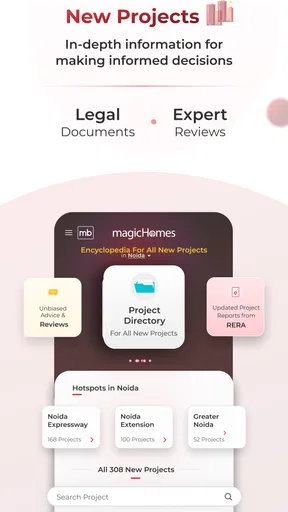
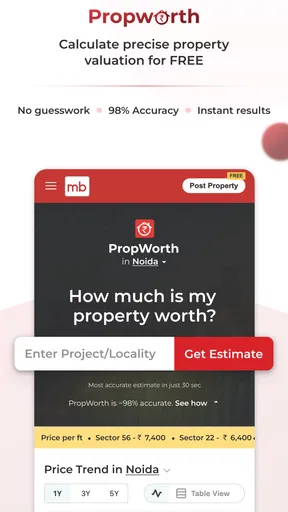

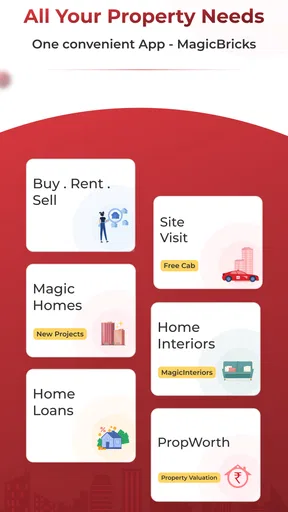
 Analysis by AppCompare
When I use a property app, I’m not only looking for homes; I’m also deciding how much personal information and attention I’m willing to put into the search. Magicbricks Buy, Rent Property is an India-focused home-search app from MagicBricks Reality Services Ltd. It brings property discovery into one place, but I’d still treat it as a way to find and compare options—not as a substitute for checking a property and its details independently.
Searching with care, not just convenience
I find it helpful to treat a property search as a series of decisions, not just a stream of listings. In this section, I focus on how to browse with a clear purpose, compare homes without letting attractive presentation do all the persuading, and keep each next step grounded in what I can verify for myself.
What the app is useful for
The app suits people who are actively comparing homes to buy or rent and want to explore areas before arranging visits. It is free to install, rated for Everyone, and has an average rating of 4.4 from around 308,000 ratings. That gives a sense of how widely it is used, though popularity alone cannot tell me whether a particular listing is accurate or right for my needs. The app has over 10 million installs and is currently at version 9.5.7.0; optional in-app purchases range from $6.99 to $219.99 per item.
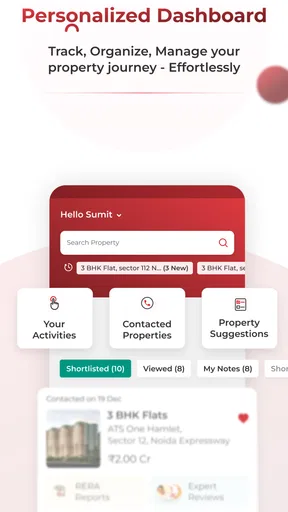
For a renter, the practical value is in building a shortlist rather than making a decision from a single attractive listing. I would compare the same area across several options, note the differences in budget and layout, then contact the relevant owner or agent to clarify anything important. A buyer can use a similar process to narrow a broad search before spending time on visits. In either case, I would confirm the details directly and assess the property in person before committing.
What to verify before you share or decide
Property searches can involve sensitive choices: where I live, what I can afford, and how soon I need to move. I try to share only what is needed to arrange a useful conversation, and I avoid sending financial or identity documents just because a listing contact asks for them. I would first establish who I am speaking with and why the information is needed. The app can help bring a property and a contact into view, but it cannot replace my own checks on the property, the person offering it, or any terms of a transaction.
For a realistic weekday search, I might check a few listings during a commute, save the promising ones for later, and then contact only the strongest candidates when I have time to ask focused questions. That is more manageable than responding to every possibility immediately. I would keep a separate note of what each contact confirms—such as availability, total costs, and viewing arrangements—so that a busy search does not blur one property into another.
Choices, costs, and a sensible routine
The app is free to download, but it also offers optional purchases. I would explore the ordinary search experience first and pay only if a specific paid option clearly solves a problem I actually have. A property search can already involve enough decisions; there is little value in buying an add-on before knowing whether it fits my routine. Anyone who prefers not to spend beyond the free app should keep that distinction in mind while browsing.
Worth Reading Before You Choose

Switching to Android Auto Means Rethinking Your Driving Routine

Google Calendar Makes a Crowded Week Easier to Manage

Baby Panda World Brings Quick Play to Modern Phones, but Its Game Library Feels Busy

ESPN’s Live Game View Makes Following Close Games Easier

QuizzLand Review: A Good Fit for Short Trivia Breaks, Not Every Player

Basketball Stars: Multiplayer Is Fast, but Can It Recover When Matches Go Wrong?
Compared with relying only on local agents, classified posts, or general property sites, a dedicated marketplace can make it easier to browse many options and keep a search moving from one place. The trade-off is that a large collection can also mean more filtering and more responsibility for checking each listing. If I already have a trusted local contact or need specialist guidance on a specific transaction, that personal help may be more useful than browsing another batch of results. I see the app as a starting point and comparison tool, not the final authority.
Finding Your Dream Home
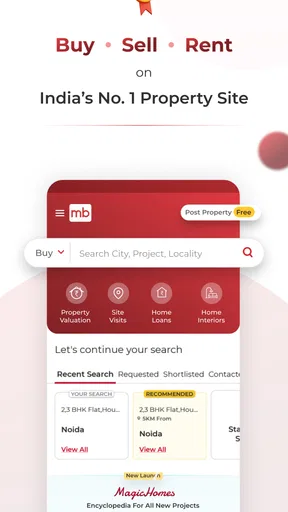
First off, the search functionality is pretty robust. You can filter properties by location, budget, size, and even amenities. I was impressed by how specific you can get. For instance, if you’re looking for a place with a gym, swimming pool, and is pet-friendly, you can narrow it down in just a few taps. It’s like having a real estate agent in your pocket.
The Magicbricks app also offers a map view, which lets you see exactly where properties are located. This is super helpful if you’re like me and prefer visualizing the area rather than just reading about it. Plus, you can check out nearby landmarks, schools, and hospitals, giving you a comprehensive idea of the neighborhood.
Detailed Listings
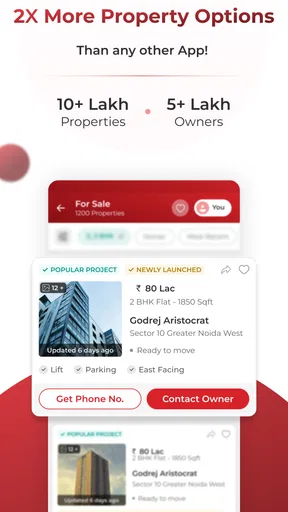
Each property listing is packed with details. You get everything from high-quality photos to floor plans and even virtual tours. It’s like you’re actually walking through the home without leaving your couch. I found the virtual tour feature particularly cool—it’s immersive and gives you a real sense of the space.
Another neat feature is the direct contact option with property owners or agents. No more jumping through hoops to get in touch. Plus, there’s a chat function that lets you ask questions directly, making the whole process smooth and straightforward.
Staying Updated
One of the things I appreciated the most is the alert feature. You can set up alerts for new properties that match your criteria, so you’re always in the loop. The notifications are timely and ensure you don’t miss out on any opportunities.
For those who like to keep an eye on market trends, the app provides regular updates and insights. You can track price trends in specific areas, which is super helpful if you’re trying to decide when to buy or sell. It’s like having a mini real estate market analyst right in your phone.
User Experience
The app’s interface is clean and intuitive. It’s easy to navigate, and everything is where you’d expect it to be. Even if you’re not tech-savvy, you’ll find it straightforward to use. The design is sleek, and the functionality is seamless—no unexpected crashes or glitches during my time using it.
There’s also a dedicated section for news and articles related to real estate. It’s a nice touch if you want to stay informed about the latest developments and tips on buying or renting properties.
Final Thoughts
All in all, the Magicbricks Buy, Rent Property app is a comprehensive tool for anyone involved in real estate. Whether you’re a first-time buyer or a seasoned investor, it has something to offer. The convenience of having all this information at your fingertips is invaluable, and the app does a fantastic job of making property searching and management as hassle-free as possible.
If you’re in the market for a new home or just curious about real estate, I’d definitely recommend giving it a try. It’s like having a personal real estate assistant, minus the hefty fees!
Who should use it—and who may prefer another route
I’d recommend trying it if you have a defined area or budget in mind and want to compare possibilities before arranging visits. It is also useful when your plans are still taking shape: browsing can help you see what kinds of homes appear in different locations and decide which details matter most. Someone who wants a quick, broad view of the market may get more out of it than someone who already has a particular property and only needs a trusted professional to guide the next steps.
On the other hand, I would not rely on an app alone if I need legal, financial, or transaction-specific advice. A listing’s photos and descriptions are useful for screening, but they are not a substitute for inspecting the actual home and asking direct questions. If I am moving on a tight deadline, I would combine browsing with calls and visits rather than waiting for alerts to bring the right option to me.
Small habits that make browsing more useful
One useful approach is to start with a short list of non-negotiables, then keep preferences separate. For example, I might treat location and an affordable budget as essentials while viewing amenities as negotiable. This prevents an appealing photo or a long feature list from distracting me from what will actually make the home workable. I would also compare listings in the same area, because a price or feature only makes sense in context.
Map browsing is best used as an early orientation tool, not as a final judgment about a neighborhood. I would use it to notice where a home sits in relation to places I care about, then check the route and surroundings in person if the listing makes the shortlist. Similarly, a virtual tour can help me rule out a layout that plainly will not work, but I would still visit before making a serious commitment. These steps save time without asking the app to answer questions it cannot settle on its own.
Alerts can help when I am searching repeatedly, but I would keep the criteria focused enough to make the notifications useful. If every preference is set as a must-have, I may miss options worth considering; if the search is too broad, I may get more results than I can review carefully. I would adjust the filters when the shortlist is too thin or too noisy, rather than assuming that the first setup is the best one.
A cautious final recommendation
Magicbricks is most helpful when I use it as a structured way to discover, compare, and follow up on property options. Its combination of filters, map browsing, listing details, contact options, alerts, and market-related content can make a long search easier to organize. The important limitation is the same one I keep in mind with any property marketplace: browsing convenience does not guarantee that a listing or a contact will meet my needs.
My advice is to begin with the free experience, set a focused search, and use the results to build a shortlist rather than rush into a decision. Ask specific questions, verify important details directly, and arrange an in-person check before committing. For someone searching across India who wants a convenient first stop, I think it is worth trying; for someone who needs expert transaction guidance or already has a reliable local route, it works better as a supplement than a replacement.
Pros
- User-friendly interface for easy navigation.
- Comprehensive property listings with details.
- Advanced search filters for specific needs.
- Integrated map view for location insights.
- Regular updates with new property options.
Cons
- Occasional app crashes disrupt experience.
- Some listings lack complete information.
- Limited support for non-English speakers.
- Notifications can be overwhelming at times.
- In-app ads may be intrusive for some users.
FAQs for Magicbricks Buy, Rent Property
What features does the Magicbricks app offer?
Magicbricks provides a comprehensive suite of tools for buying, renting, and selling properties. Users can browse listings with detailed photos, floor plans, and virtual tours. The app also offers a range of filters to refine searches, neighborhood information, price comparisons, and mortgage calculators to assist in decision-making.
Is Magicbricks free to use, or are there any subscription fees?
The Magicbricks app is free to download and use for basic features, such as searching and browsing property listings. However, certain advanced features, like premium property listings, detailed reports, and advertising services, may require a subscription or one-time fee. Always check for in-app purchases if you need those features.
How accurate are the property listings on Magicbricks?
Magicbricks strives to maintain accurate and up-to-date property listings by collaborating with verified real estate agents and property owners. However, as with any online marketplace, discrepancies can occur. It’s advisable to contact the property owner or agent directly to verify details before making any commitments.
Can I list my property for sale or rent on Magicbricks?
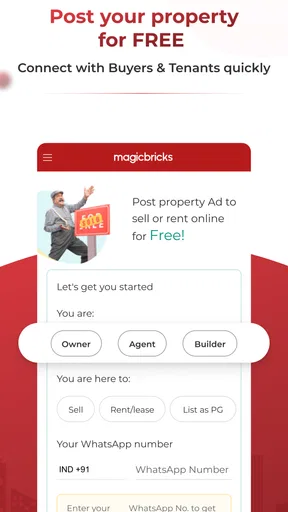
Yes, Magicbricks allows users to list their properties for sale or rent. You can create an account, upload property details, photos, and set your price. The platform offers various listing packages, including free and paid options, depending on the visibility and reach you desire for your property.
Is Magicbricks available outside of India?
Magicbricks primarily focuses on the Indian real estate market, offering extensive listings and services across the country. While users outside India can access the app and explore listings, the properties and services are centered around Indian locations. International expansion plans, if any, would be announced on their platform or website.


